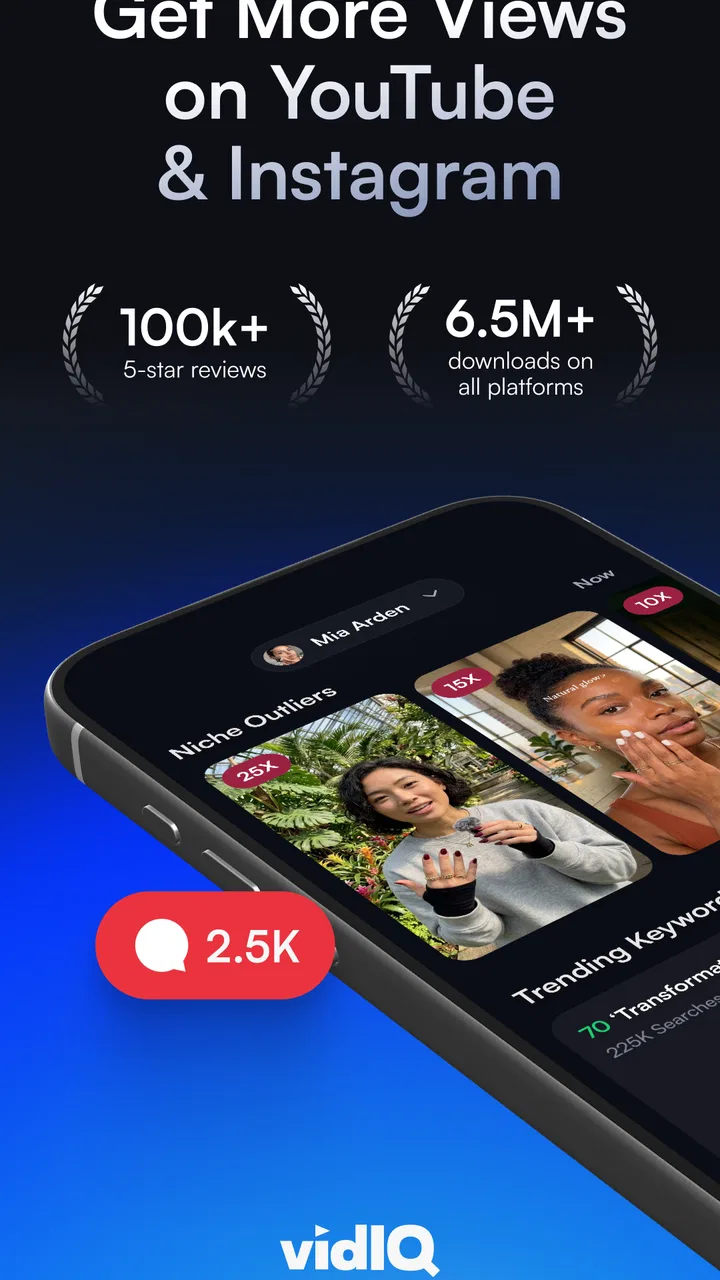
vidIQ for YouTube & Instagram
- 4.6
- Rating
- 5.00M
- Installs
- Free
- Price

 Analysis by App-foxy
I approached vidIQ as a companion for people who want to make better decisions around YouTube videos, not as a replacement for a full video editor. Its focus is the planning and improvement side of publishing: finding ideas, working on titles, thinking about search visibility, and preparing thumbnails. That distinction matters from the first minute, because someone expecting trimming, effects, captions, or a complete editing timeline will be looking in the wrong place.
My first impression is that the app makes the most sense when I have a video idea but cannot decide whether it is clear, searchable, or appealing enough to publish. Instead of opening YouTube and guessing what to write, I can use vidIQ to turn that vague idea into a more deliberate package. It is aimed at creators who want practical guidance before and around publication, especially beginners who do not yet have a repeatable workflow.
The app is free to install, with optional in-app purchases ranging from $9.99 to $199.99 per item. That makes it easy to test without committing immediately, although the paid options are important to keep in mind if I plan to rely on advanced guidance regularly. vidIQ is developed by vidIQ, belongs to the video players and editors category, and is suitable for Everyone. It has reached over 5 million installs and holds a 4.6 average from around 371 thousand ratings, which suggests that many creators find its general approach useful.
You May Also Like

 Blood Strike: 2.5 Anniversary
Blood Strike’s Loadouts Turn Every Drop Into a Tactical Gamble
A close look at Blood Strike’s custom loadouts: how fast access to signature weapons reshapes its battle royale rhythm, rewards preparation, and narrows the gap between fights.

 Pandora - Music & Podcasts
Pandora’s Music Is Easy to Start, but Harder to Recover
Pandora’s strength is its low-effort path from a seed to a station. Its weak spot is how much confidence it asks you to place in connection, setup, and quiet recovery.

 8 Ball Pool
 Is Built on Rivalries, Rematches, and Routine
A close look at the rivalries, rematches, shared routines, and unanswered safety questions that turn a quick pool match into a persistent mobile community.

 Samsung Music
’s Quiet Strength Is Playing What You Already Own
Its reach comes less from spectacle than from dependable access to a personal library. That simplicity is both the app’s strongest retention engine and its ceiling.

 AccuWeather: Weather Radar
AccuWeather Review: A Quick, Clear Forecast for Everyday Decisions
For everyday plans, the best forecast is the one you can understand quickly. AccuWeather makes rain timing, radar, and local conditions easy to act on, with a few trade-offs.

 Hill Climb Racing
Why Hill Climb Racing Still Turns Crashes Into One More Run
A tiny car, a bumpy hill and one more upgrade: Hill Climb Racing keeps resurfacing because its simple chaos makes every near-miss feel personal.
More From Our News Desk



What to expect before opening the app
The most helpful way to understand vidIQ is to see it as a decision-making layer around YouTube. I would use it before recording to explore possible topics, while preparing a upload to improve its wording, and after publishing to think about how the presentation could be stronger. The app does not magically create an audience, and it cannot turn a weak subject into a compelling one. What it can do is give me more structure than relying on instinct alone.
That makes it particularly useful for a small channel where every upload takes effort. If I only publish occasionally, choosing the wrong topic or an unclear title can make the whole process feel wasted. A planning tool can help me pause before recording and ask a better question: what would make this video understandable and interesting to the person I want to reach?
I would not install it expecting a traditional mobile editing suite. The category may place it near video tools, but the practical experience is closer to a YouTube growth and optimization assistant. I still need another app or a desktop editor for cutting footage, arranging clips, mixing audio, and exporting a finished video. This is one of the first boundaries a new user should understand.
The app is also not a shortcut around the need for good content. A keyword or title suggestion may point me toward a clearer presentation, but I still have to deliver useful information, a strong explanation, or an entertaining experience. In my view, vidIQ works best when I treat its suggestions as prompts for judgment rather than instructions that must be followed.
Who gets the most value
I think the strongest audience is a beginner or growing creator who repeatedly gets stuck at the planning stage. Perhaps I have several possible subjects, but I do not know which one deserves a full recording session. Perhaps I have a finished video but my title is too broad, or my thumbnail idea does not communicate the benefit quickly. Those are the moments when this app can save mental energy.
It can also suit someone who already understands basic YouTube publishing but wants a more consistent routine. Instead of inventing a process for every upload, I can use the same sequence: explore the topic, shape the title, consider search language, and review the thumbnail concept. That consistency is more valuable than any single suggestion because it makes improvement easier to notice over time.
I would skip it if my main need is editing footage on a phone. I would also be cautious if I dislike analytical guidance and prefer to publish entirely through personal instinct. There is nothing wrong with that approach, but the app’s value comes from examining choices that are easy to overlook. If I do not want to spend time refining a topic or presentation, vidIQ may feel like extra work rather than help.
Setting it up without overcomplicating the process
When I first open an app like this, I want to reach a useful action quickly rather than spend a long time configuring an elaborate system. My advice is to begin with one channel goal. It could be choosing a topic for the next upload, improving a title I already wrote, or checking whether a thumbnail idea communicates the video clearly. Starting with one concrete task keeps the first session from becoming an unfocused tour.
The first setup should also include a realistic understanding of the creator I am trying to reach. A title that works for a cooking channel may be completely wrong for a gaming tutorial, a study channel, or a local business. Before accepting any suggestion, I would describe the intended viewer in plain language: what they already know, what problem they have, and why they would care about this particular video.
This step is easy to skip, but it is one of the most useful habits I found. Search-oriented wording without audience context can produce titles that sound technically polished but emotionally empty. vidIQ can help me examine language, yet I remain responsible for deciding whether that language sounds natural for my channel.
The current version is 2.8.0, and it runs on devices using Android 7.0 or later. That makes it accessible to many older Android phones, although the smoothness of the experience will still depend on the device and the amount of work I am doing around the app. Since it is an Android app, iPhone users should not assume that the same installation experience applies to iOS without checking the relevant platform listing.
Because the app is free to start, I would spend time understanding what is available before considering a purchase. The optional items can become expensive at the upper end, so I would not subscribe or buy anything simply because a feature sounds useful in theory. First I would complete one full planning cycle with the free experience and decide whether the guidance changes my decisions in a meaningful way.
A practical first-session routine
Here is the routine I would recommend to a new user. I would choose one video idea that I am genuinely willing to make, write down the original title I would have used, and then compare it with the app’s suggestions or optimization guidance. I would not immediately replace my wording. Instead, I would look for patterns: is my subject too vague, is the benefit hidden, or am I using words that only make sense to existing subscribers?
Next, I would create two or three title directions with different priorities. One might be direct and instructional, another might emphasize a problem, and a third might focus on the result. This small exercise is more valuable than copying the first recommendation because it teaches me how presentation changes the promise of the same video.
Finally, I would sketch a thumbnail that supports the chosen title rather than repeating it. If the title explains the subject, the image can show the result or the central tension. This is a concrete way to use vidIQ’s thumbnail-oriented tools without treating the thumbnail as decoration added at the last moment.
Reaching the first meaningful result
For me, a successful first action would not be installing the app or opening a dashboard. It would be leaving the session with a clearer, publishable concept for one video. That means I know the viewer, the central promise, the title direction, and what the thumbnail needs to communicate. If vidIQ helps me reach that point faster, it has already earned a place in my workflow.
A realistic example would be a small channel about home organization. I might begin with the weak idea “Kitchen Tips,” which gives a viewer no clear reason to click. After thinking through the intended audience and the specific result, I could reshape the concept around a recognizable problem, such as organizing a crowded kitchen drawer. The important improvement is not a magical phrase; it is the move from a broad subject to a concrete viewer benefit.
In that situation, I would use the app to explore title language and search-friendly wording, then compare the suggestions with the way real people speak. If a recommendation sounds unnatural or promises more than the video delivers, I would reject it. A title that attracts the wrong expectation may create a poor viewing experience even if it looks optimized.
The same process works for a tutorial channel. Suppose I want to explain a phone setting. Rather than naming only the setting, I would frame the title around the problem it solves and make sure the opening of the video fulfills that promise. The app can help me think about discoverability, but the real success comes when the viewer immediately understands what they will learn.
One non-obvious advantage is that this workflow exposes weak ideas before I spend time recording. If I cannot describe the viewer’s problem, the promised result, and the reason the video is timely for my audience, I may need to improve the concept itself. In that sense, vidIQ is useful even when it tells me to rethink an upload rather than encouraging me to publish it unchanged.
Using titles and thumbnails together
Titles and thumbnails should not compete for the same job. I use the title to provide precise context and the thumbnail to create quick visual recognition. When both repeat the same sentence, the presentation can feel flat. When they make unrelated promises, the viewer may be confused. The app’s combination of title, search, and thumbnail tools encourages me to consider the package as one decision.
A practical test is to hide the title and ask whether the thumbnail still hints at the subject. Then I would hide the thumbnail and ask whether the title explains the benefit. If either part fails alone, the complete presentation probably needs work. This is a simple manual check, but vidIQ makes me more likely to perform it before publishing.
I also found it useful to create the thumbnail concept earlier than usual. Many creators record first and only later discover that the video has no clear visual angle. Planning the image alongside the topic can reveal whether the idea is easy to communicate. If I cannot imagine a clean thumbnail without filling it with tiny text, the video may need a sharper central point.
Where new users can become confused
The biggest source of confusion is treating every recommendation as a guaranteed prediction. Search language, titles, and thumbnails influence how a video is understood, but they do not control audience interest. A well-presented video can still be ignored, while an imperfectly worded video can succeed because the subject, creator, or timing connects with viewers.
I would therefore use the app comparatively rather than mechanically. I might examine several possible titles and ask which one is clearest, not which one appears most impressive. If a suggestion uses exaggerated wording, I would compare it with the actual content and remove anything the video cannot support. Trust is more important than squeezing every possible click from a phrase.
Another point of friction is the difference between search optimization and human appeal. A phrase can be relevant to a search query but still sound stiff when read aloud. I prefer titles that a real viewer would understand immediately, even if that means choosing a slightly less formal expression. vidIQ is most helpful when it expands my options, while I make the final choice using common sense.
Beginners may also wonder whether they need to connect every part of their YouTube routine to the app. I would not. The best approach is selective: use it when I am stuck on a topic, title, SEO decision, or thumbnail direction, then return to the tools I already prefer for recording and editing. Forcing every task through one app can make the workflow slower.
The paid structure deserves careful attention too. The free starting point lowers the risk of trying it, but optional purchases from $9.99 to $199.99 per item mean that the cost can become significant depending on what I choose. I would judge a paid feature by a specific benefit, such as saving time on repeated planning, rather than by the promise of general channel growth.
How it compares with familiar alternatives
Compared with YouTube’s own basic publishing tools, vidIQ offers a more deliberate planning mindset. YouTube remains the place where I upload, manage, and observe my videos, while vidIQ gives me a separate space to think about ideas and presentation. If I only need to publish a finished clip, the native tools may be enough. If I regularly struggle before publication, the extra perspective becomes more valuable.
Compared with a conventional mobile video editor, the difference is even clearer. An editor helps me shape footage; vidIQ helps me decide how that footage should be positioned for viewers. I would use both if my goal is a polished upload. Choosing between them depends on the bottleneck: if the problem is messy footage, choose an editor; if the problem is unclear topics and weak packaging, this app is the better fit.
Compared with brainstorming in notes or spreadsheets, vidIQ feels more purpose-built for YouTube decisions. A notes app gives me freedom and may be better for long-form planning, scripts, and content calendars. vidIQ is more focused when I need to examine the relationship between a topic, its title, its search wording, and its thumbnail. I would keep the notes app for ideas and use vidIQ for refinement.
That comparison also explains why I would not recommend it to every creator. Someone with an established editorial process, a dedicated strategist, or a strong understanding of their audience may gain only modest value. The app is most useful when it fills a knowledge or consistency gap, not when it duplicates a process I already perform confidently.
Building a repeatable workflow after the first upload
Once I have completed one meaningful planning session, I would use vidIQ at three deliberate points rather than opening it randomly. Before recording, I would test whether the idea has a clear audience and benefit. Before publishing, I would refine the title and thumbnail relationship. Afterward, I would review what I learned from the upload and apply that lesson to the next concept.
The important habit is to change one major variable at a time. If I alter the topic, title style, thumbnail design, and video format together, I will not know what helped. A better workflow is to keep the subject style familiar while improving the title, or keep the title approach consistent while testing a clearer thumbnail. This turns the app into a learning aid rather than a source of endless suggestions.
I would also keep a small record of rejected ideas. This may sound unusual, but it prevents me from repeating the same weak concepts. If vidIQ reveals that an idea is too broad, I can save the narrower angle I discovered instead of deleting the entire thought. Over time, that creates a personal library of possible videos shaped around real viewer problems.
Another useful trade-off is speed versus originality. Suggestions can help me move past a blank page, but depending on them too heavily may make my titles sound similar to everyone else’s. I try to use the app for structure, then add the detail that comes from my own experience. The final title should sound like my channel, not like a generic optimization exercise.
For a first-time creator, I would set a modest goal: use the app to improve the next upload, not to redesign the entire channel overnight. Write the original idea, compare alternatives, choose one honest promise, and make the thumbnail support it. That is enough to produce a meaningful result without becoming overwhelmed by every possible metric or recommendation.
My recommendation for different kinds of creators
I recommend vidIQ to beginners who want help turning loose YouTube ideas into clearer video packages. It is also a sensible companion for creators who know how to make videos but often publish with rushed titles or thumbnails. The free entry point makes experimentation reasonable, and the app’s focus is narrow enough to fit alongside an editor rather than replace one.
I would be more cautious for creators whose main challenge is production quality. If the audio is poor, the footage is difficult to edit, or the channel lacks a consistent publishing routine, title and SEO guidance should not be the first priority. In that case, time spent learning editing, scripting, or recording would probably create a larger improvement.
I would also skip the paid options until I could name the exact problem they solve for me. The price range of the in-app purchases is broad, and no tool should be treated as a guarantee of more views. I would first see whether the free experience changes the way I choose topics and present videos. If it does not, paying for more of the same process is unlikely to fix the issue.
Overall, I see vidIQ as a practical planning companion rather than a magic growth button. Its strongest contribution is helping me slow down before publishing, clarify the viewer benefit, and connect the title, search language, and thumbnail into one coherent promise. Its main limitation is that the creator still has to supply judgment, originality, and worthwhile content.
After testing that workflow, I would keep it installed if I were still developing my YouTube process, especially when I had several ideas competing for attention. I would open it with a specific question, use the suggestions as alternatives, and make the final decision myself. The best result is not a higher-looking score; it is a video idea I can explain clearly and deliver honestly.
FAQs for vidIQ for YouTube & Instagram
01What is vidIQ and how does it enhance my YouTube experience?
vidIQ is a powerful tool designed to help YouTube creators optimize their content and grow their audience. It provides analytics, keyword research, and insights into competitors' strategies. By leveraging its features, users can improve video visibility, increase engagement, and make data-driven decisions to enhance their channel's performance.
02Is vidIQ free to use, or does it require a subscription?
vidIQ offers both free and premium subscription plans. The free version provides basic analytics and insights suitable for casual users. For more comprehensive features such as advanced keyword research and competitor analysis, users can opt for paid plans with monthly or annual payment options, depending on their needs.
03How does vidIQ help with video SEO and keyword research?
vidIQ aids in video SEO by offering detailed keyword research tools that help identify trending and high-value keywords. It provides suggestions for tags, titles, and descriptions, allowing creators to optimize their content for search engines. This ensures better visibility, helping videos reach a wider audience more effectively.
04Can vidIQ be integrated with other platforms or tools?
Yes, vidIQ integrates seamlessly with YouTube, as it is a browser extension designed specifically for the platform. While its primary focus is YouTube, it can complement other social media and marketing tools by providing insights that inform broader content strategies and audience engagement tactics.
05Is vidIQ suitable for beginners, or is it more for advanced users?
vidIQ caters to both beginners and advanced YouTube creators. Beginners benefit from its intuitive interface and basic analytics, which provide essential insights into growing their channels. Advanced users can leverage the more sophisticated features in premium plans to delve deeper into competitive analysis and strategic content planning.
Pros
- Comprehensive analytics dashboard available.
- Boosts video SEO with keyword suggestions.
- Easy integration with YouTube channel.
- Provides insights on trending topics.
- Helps optimize video descriptions.
Cons
- Free version has limited features.
- Some tools require in-app purchases.
- Analytics can be overwhelming for beginners.
- Occasional delays in data updates.
- Requires YouTube account access permissions.

vidIQ for YouTube & Instagram
Gallery